Switch & organize repos
Group every repository into collapsible folders in the sidebar and jump between them instantly. Your whole workspace in one window.
Free · open source · Windows, macOS & Linux
GitBench keeps every repo you work in grouped in one sidebar, so you can switch between them instantly, with no reopening windows or re-adding folders. It's a native, GPU-accelerated client with a visual commit graph, inline diffs, and one-click auto-updates.
GitBench comes with a dark and a light theme — see how both look.
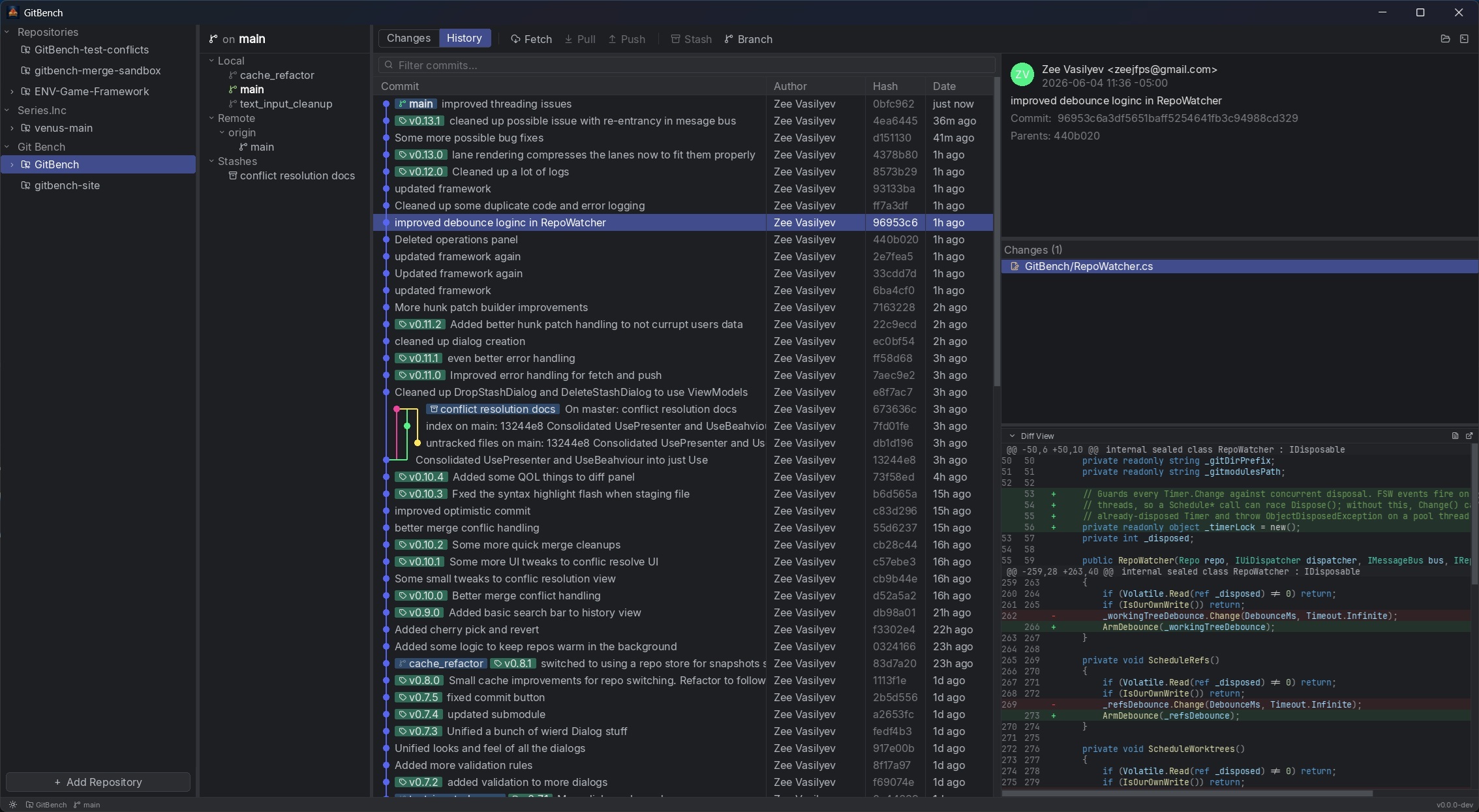
Group every repository into collapsible folders in the sidebar and jump between them instantly. Your whole workspace in one window.
Trace branches, merges, and history at a glance with a fast, readable graph renderer.
Checkout, rename, delete, merge, rebase, and fast-forward, local and remote, straight from the context menu.
Stage and unstage by file or folder, discard, stash, and review every change in an inline diff view.
Browse stashes and manage worktrees and submodules, the bits a real repository actually has.
GitBench checks for new releases on launch and applies them with one click, no manual reinstalls.
Pick your platform. Installs include automatic updates.
GitBench drives the git command line, so make sure Git is installed and on your PATH. All builds and source are on GitHub Releases.
Yes. GitBench is completely free and open source. There are no paid tiers, accounts, or license keys — every feature is available to everyone.
GitBench runs natively on Windows (x64), macOS (both Apple Silicon and Intel), and Linux (x64, as an AppImage).
Yes. GitBench drives your existing Git command-line installation, so you need Git installed and available on your system PATH. You can get it from git-scm.com.
GitBench is built around working in many repositories at once: every repo stays grouped in one sidebar so you can switch instantly without reopening windows. It is a native, GPU-accelerated app that is free and open source, with a visual commit graph, inline diffs, and one-click auto-updates.
Yes. GitBench checks for new releases on launch and applies them with a single click, so you stay current without manually downloading and reinstalling.
GitBench is open source — all of the code and every release build are published on GitHub, so you can review exactly what it does or build it yourself.
GitBench is free and open source. If it saves you time, you can help fuel its development with a coffee.
Buy me a coffee